
Using Simplescraper's MCP Server
The Simplescraper MCP server lets you scrape data, extract Markdown, and create and schedule recipes from Claude, Cursor, ChatGPT and other AI apps.
It has 17 tools in total, so you can use all of Simplescraper's capabilities within your AI chat.
MCP (Model Context Protocol) is the open standard AI clients use to call services like Simplescraper. Our guide to MCP covers the basics.
Simplescraper's MCP server URL:
What you can do
| Ask your AI assistant | What Simplescraper does |
|---|---|
| "Pull product names, prices, and ratings from this page" | Extracts the named fields with AI, no CSS selectors needed |
| "Find every page on stripe.com" | Reads the site's sitemap and returns the full URL list, using no credits |
| "Read this page and summarize it" | Fetches the page and converts it to clean Markdown |
| "Create a recipe for nytimes.com that grabs headlines" | Builds a new scrape recipe you can reuse |
| "Run my competitor scraper and show the new data" | Runs a saved recipe and returns fresh results |
| "What changed since the last run?" | Pulls previous results and run history to compare |
| "Add these URLs to my product scraper" | Updates the recipe's batch URL list for a bulk run |
| "Run my job board scraper at midnight and noon, New York time" | Schedules the recipe so it runs automatically in the cloud at those times |
| "When does my price scraper run next?" | Reads the recipe's schedule and its next run |
Start with URL discovery
extract_urls reads a site's sitemap and returns every page URL without using any credits. A popular workflow is to map a site, then point smart_extract or a recipe at the pages that matter.
Connect Claude
There are a few ways to connect, depending on whether you use Claude on the web and desktop or Claude Code.
Claude on the web and Claude Desktop
Add it from the connectors directory
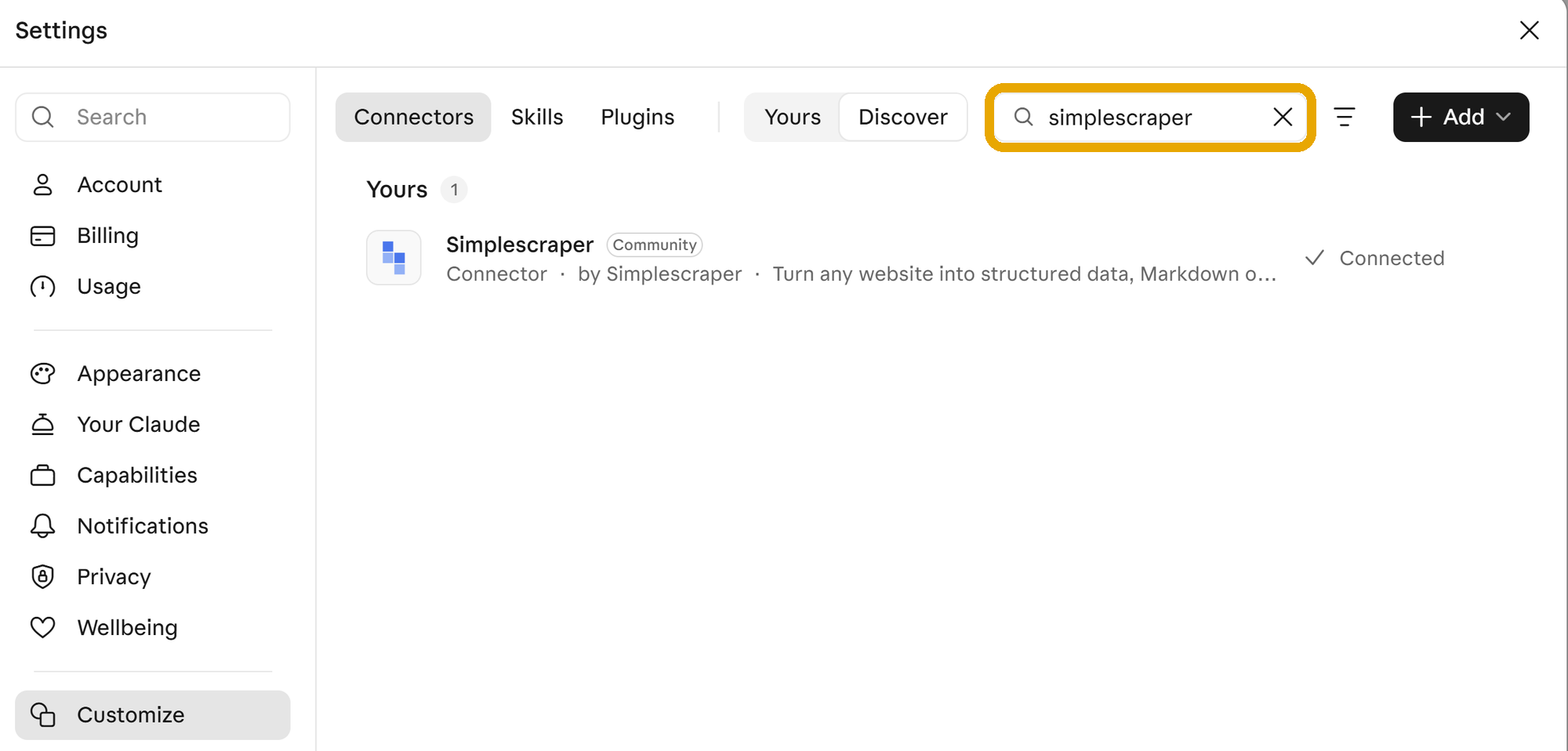
- In Claude, open 'Customize' > 'Connectors' and search for 'Simplescraper'.
- Click 'Connect' and sign in with your Simplescraper account.
Add it by URL
Use this when your organization limits which directory connectors you can add.
- In 'Customize' > 'Connectors', click 'Add custom connector'.
- Enter the name
Simplescraperand the URLhttps://mcp.simplescraper.io/mcp. If asked how Claude identifies itself, choose 'Register automatically'. - Click 'Add', then 'Connect', and sign in with your Simplescraper account.
Simplescraper is then available in every chat. To switch it off for one conversation, click '+' > 'Connectors' in the chat.
On a Team or Enterprise plan, an Owner adds the connector under 'Organization settings' > 'Connectors', and each member clicks 'Connect' and signs in.
Which tools ask before they run
Read-only tools, such as listing recipes, run without asking. Write tools, such as running or changing a recipe, ask for your approval first. Change this for any tool under 'Customize' > 'Connectors' > Simplescraper.
Claude Code
Run this in your terminal:
claude mcp add --transport http simplescraper https://mcp.simplescraper.io/mcpThen type /mcp in Claude Code, select simplescraper and sign in with your Simplescraper account in the browser window that opens.
Cursor
Cursor supports MCP with OAuth sign-in. When you add the server, Cursor opens a browser window for you to sign in with your Simplescraper account.
Global setup (all projects):
- Create
~/.cursor/mcp.jsonin your home directory. - Add this configuration:
{
  "mcpServers": {
    "simplescraper": {
      "url": "https://mcp.simplescraper.io/mcp"
    }
  }
}- When you switch the server on in Cursor, it prompts you to sign in with your Simplescraper account.
Project-specific setup:
- Create
.cursor/mcp.jsonin your project root. - Use the same JSON configuration as above.
- The server is then available only in that project.
Through Cursor's settings:
- Open Cursor Settings (Ctrl/Cmd + ,).
- Select 'MCP' in the sidebar.
- Click 'Add Server'.
- Enter:
- Name: Simplescraper
- URL:
https://mcp.simplescraper.io/mcp
- When prompted, sign in with your Simplescraper account.
Do not add an Authorization header manually
Cursor handles sign-in through OAuth. Adding "headers": {"Authorization": "Bearer ..."} with your API key stops the sign-in from working. Use the configuration above with just the URL.
Other AI applications
Most AI applications that support MCP have a similar setup. Look for their MCP, 'Connectors' or 'Tools' settings, add https://mcp.simplescraper.io/mcp and sign in with your Simplescraper account when asked.
Available tools
Simplescraper gives your assistant 17 tools. Each tool shows its title as Claude displays it, with the name your assistant calls in brackets.
Read-only tools
These tools change nothing in your account. Those that fetch a web page use credits.
| Tool | What it does | Credits |
|---|---|---|
List recipes (list_recipes) | Find your recipes by website, name keyword or recent activity | None |
Get a recipe (get_recipe) | Show a recipe's details, including its selectors | None |
Get latest results (get_latest_results) | Return the data from a recipe's most recent run, without scraping again | None |
Get run history (get_results_history) | List a recipe's past runs with their dates and page counts | None |
Get results of a run (get_results) | Return the data from one specific run | None |
Get a recipe's schedule (get_schedule) | Show when a recipe runs automatically, in which time zone, and its next run | None |
Find every URL on a site (extract_urls) | List every page URL on a site from its sitemap | None |
Read a page as Markdown (extract_markdown) | Fetch one page, render its JavaScript and return the content as clean Markdown | Uses credits |
Extract fields with AI (smart_extract) | Extract the fields you name, such as price, title or author, from one page with AI, and return the CSS selectors that matched | Uses credits |
Search Google (google_search) | Return up to 20 ranked results plus the answer box, 'People also ask' and related searches. See Google Search API | 2 credits per ten results |
Screenshot a page (screenshot) | Capture a page, full length or at a viewport size you choose, and return a hosted image link | 1 credit |
Write tools
These tools change your recipes or create new runs, so Claude asks before it uses them.
| Tool | What it does | Credits |
|---|---|---|
Create a recipe (create_recipe) | Save a new recipe from a URL and CSS selectors | None |
Update a recipe (update_recipe) | Change a recipe's name, URL or selectors, either replacing the selectors or merging new ones in | None |
Set a recipe's batch URLs (update_batch_urls) | Add URLs to a recipe's batch list, or replace the list | None |
Schedule a recipe (set_schedule) | Set a recipe to run at your preferred frequency (e.g. every 5 minutes, hourly, daily or weekly), or at the hours and days you choose, in your time zone | None |
Remove a schedule (remove_schedule) | Stop a recipe running on a schedule. The recipe and its results are kept | None |
Run a recipe (run_recipe) | Scrape the recipe's page, or a batch of up to 5,000 URLs, and save the results as a new run | Uses credits |
If a tool says the connection has been reset
Your connection signs in with the API key your account had when you connected. If that key changes, every tool answers "The Simplescraper connection has been reset". Disconnect Simplescraper in your AI tool and connect it again to fix it.
Advanced usage examples
Scheduling a recipe
"Run my job board recipe every day at midnight and noon, New York time."Your assistant sets the schedule and tells you the next run. To change it, just say so, such as "Skip the weekends" or "Pause it for now".
URL discovery and batch scraping
"Find all product pages on example.com/shop, add them to my product scraper recipe,
and run the scrape."
Your assistant reads the sitemap, keeps the URLs that match your description (for example paths containing /product/), updates the recipe's batch URL list and runs the recipe.
Comparing runs
"Check my Amazon price tracker recipe. If prices have changed by more than 10%
since the last run, create a summary report of the changes."
Several recipes at once
"Find all recipes that haven't run in the last week, run them,
and summarize any that return errors."
Reformatting results
"Get the latest results from my job listings scraper and format them
as a markdown table sorted by salary."
Related
- Google Search API: the search behind the
google_searchtool, with its parameters and costs. - Data retention: how long the results of each run are kept.
- Complete guide to the MCP protocol: what MCP is and how AI tools use it.
For questions or help, reach out via chat.